


Few things are more frustrating than watching a video, joining an online meeting, or playing a game—only for the screen to freeze with a buffering icon.
If you have ever asked yourself why does my internet keep buffering, the answer usually lies in a combination of network congestion, device limitations, or connection quality. In many cases, choosing a reliable internet service provider in Southern Punjab can also make a significant difference, as better infrastructure and stable connectivity reduce buffering and improve overall internet performance.
This guide explains the most common reasons for slow internet performance and provides practical solutions you can try right away.
2. Slow Internet Speed From Your ISP
One of the most common causes of buffering is simply having an internet plan that cannot handle your usage needs. Streaming HD videos, running cloud applications, or gaming online requires higher bandwidth than basic browsing. If your connection speed is too low, your device will constantly wait for data to load.

Many households today connect multiple devices at the same time. Smartphones, smart TVs, laptops, and gaming consoles all consume bandwidth simultaneously. When the connection cannot support the demand, streaming delays and buffering become frequent.
Upgrading to a higher-speed broadband plan often resolves this issue. Choosing a reliable provider such as SB Link Network ensures stable connectivity and consistent performance for homes and businesses that rely heavily on the internet.
4. Network Congestion During Peak Hours
Internet speeds often slow down during peak usage hours. In the evenings, when many people in your neighborhood are streaming videos or gaming online, networks can become congested. This congestion causes slower download speeds and increased buffering.
Shared broadband infrastructure means that bandwidth is divided among multiple users. The more people using the network at the same time, the higher the chances of performance drops.
If buffering happens mainly at night or on weekends, network congestion could be the cause. Switching to fiber-based internet or choosing an experienced provider like SB Link Network can help reduce congestion-related slowdowns because modern fiber infrastructure supports higher bandwidth and more simultaneous users.
6. Weak WiFi Signal
A weak WiFi signal is another major reason for buffering. When your device is far from the router or there are walls and obstacles blocking the signal, data takes longer to reach your device. This results in unstable connections and frequent pauses during streaming.
Large homes and offices often experience WiFi dead zones where signals barely reach. Devices in these areas struggle to maintain stable connections, causing slow page loads and buffering videos.
To improve your signal strength:
- Place the router in a central location.
- Avoid placing it behind walls or inside cabinets.
- Consider using WiFi extenders or mesh networks for larger spaces.
Strong signal coverage significantly improves browsing and streaming quality.
8. Outdated Router or Network Equipment
Many people overlook the importance of modern networking equipment. Older routers may not support newer WiFi standards or faster internet speeds. Even if your internet plan is fast, an outdated router can limit your connection performance.
Technology evolves quickly, and routers designed years ago may struggle to handle modern internet demands like 4K streaming or multiple connected devices. Firmware updates may help, but sometimes replacing the router is the best solution.
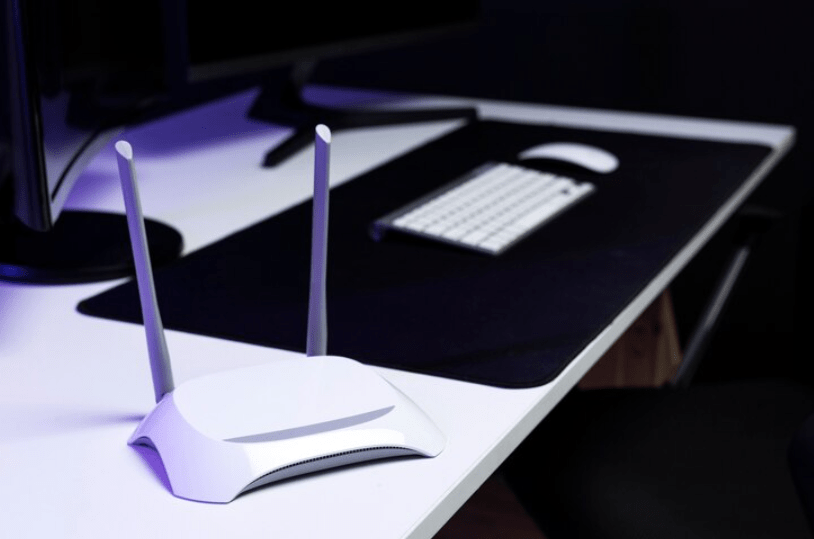
Investing in a modern dual-band or WiFi 6 router can dramatically improve speed stability, reduce latency, and minimize buffering issues across your home network.
10. Too Many Connected Devices
Modern households often have dozens of connected devices. Smartphones, tablets, smart TVs, smart speakers, security cameras, and laptops all compete for bandwidth.
When many devices are connected at the same time, the available internet speed is divided among them. This reduces performance and increases buffering while streaming videos or playing online games.
To manage this issue:
- Disconnect devices you are not using.
- Use Quality of Service (QoS) settings on your router to prioritize streaming or work devices.
- Upgrade your internet plan if your household relies heavily on connected devices.
Better bandwidth management ensures smoother performance for everyone on the network.
12. Streaming Quality Settings Are Too High
High-resolution streaming consumes a large amount of bandwidth. For example, 4K streaming requires significantly more internet speed compared to HD or standard definition video.
If your connection speed cannot support the selected streaming quality, the video will constantly pause to load more data. This is one of the most overlooked reasons behind buffering problems.
Reducing streaming quality slightly can make a big difference. Switching from 4K to HD or from HD to standard quality often eliminates buffering while still maintaining a good viewing experience.
14. Background Applications Using Bandwidth
Many applications run in the background and quietly consume internet data. Automatic software updates, cloud backups, file downloads, and app updates can use large amounts of bandwidth without you noticing.
When these background processes are active, they reduce the available bandwidth for streaming or browsing. This often leads to slower loading speeds and buffering videos.
Check your device settings to see which applications are using network data. Pausing automatic updates during important tasks like video meetings or streaming can improve performance instantly.
16. Server Issues From the Streaming Platform
Sometimes buffering is not caused by your internet connection at all. The streaming platform itself may be experiencing server overload or technical issues. When millions of users access the same platform simultaneously, servers can struggle to deliver content smoothly.
This commonly happens during live sports events, major premieres, or trending online streams. Even users with fast internet connections may experience buffering when the service provider’s servers are overloaded.
In such situations, refreshing the stream, switching servers, or waiting a few minutes usually resolves the issue.
18. Malware or Unwanted Network Traffic
Malware or unauthorized applications running on your device can consume bandwidth and slow down your connection. Some malicious software secretly downloads files, sends data, or communicates with external servers. In such situations, using a managed internet service can help improve security and performance, as these services often include network monitoring, threat detection, and optimized bandwidth management to keep your connection running smoothly.
Maintaining a secure network environment ensures your internet bandwidth is used only for the tasks you actually need.
20. Why Does My Internet Keep Buffering Even With Good Speed?
Many users wonder why does my internet keep buffering even though their speed tests show strong results. In most cases, buffering is caused by issues beyond raw speed.
For example, high latency, packet loss, poor WiFi coverage, or overloaded devices can create delays even when download speeds appear fast. Network stability is just as important as raw bandwidth.
If buffering continues despite having a fast connection, consider checking your router placement, reducing network congestion, or upgrading your equipment to improve overall performance.
22. When It’s Time to Upgrade Your Internet Connection
If you frequently experience buffering despite troubleshooting your network, it may be time to upgrade your internet service. Modern households require reliable broadband capable of supporting streaming, remote work, and smart devices simultaneously.
High-quality fiber internet offers consistent speeds, low latency, and stable performance even during peak usage hours. Providers like SB Link Network deliver dependable connectivity solutions designed for both homes and businesses.
Choosing the right internet service provider can eliminate buffering problems and significantly improve your online experience.
Conclusion
Buffering is usually caused by a combination of factors rather than a single issue. Slow speeds, weak WiFi signals, outdated equipment, or network congestion can all affect internet performance. By identifying the root cause, most buffering problems can be solved with simple adjustments.
From improving router placement to upgrading your internet plan, small changes can make a noticeable difference in streaming quality and browsing speed. When your connection is stable and optimized, online activities become smoother, faster, and far less frustrating.
If persistent buffering continues to disrupt your work or entertainment, switching to a reliable high-speed provider like SB Link Network can help ensure consistent connectivity and a better overall internet experience.
FAQs
1. What internet speed is required to avoid buffering?
For smooth streaming, at least 5 Mbps is recommended for HD content and 25 Mbps for 4K streaming. Higher speeds are needed if multiple devices are connected simultaneously.
2. Can a router cause buffering issues?
Yes. Outdated or low-quality routers may limit your internet performance. Upgrading to a modern router can improve speed stability and reduce buffering.
3. Does WiFi distance affect buffering?
Absolutely. Devices far from the router often experience weak signals, which can slow down data transfer and cause buffering during streaming.
4. How can I quickly fix buffering problems?
Restart your router, close background apps, reduce streaming quality, and move closer to your WiFi router. These quick steps often resolve most buffering issues.